
Search Results
-


Lenovo IdeaPad Slim 5 14" Copilot+ Laptop - AMD Ryzen™ AI 7, 512GB SSD, 16 GB RAM - Cosmic Blue
£999- AMD Ryzen AI 7 445 processor — Quick, responsive power
- 14-inch WUXGA IPS screen — A crisp, clear picture
- 16GB DDR5 RAM — Handles plenty of apps at once
- 512GB PCIe SSD — Room for your photos and projects
- Windows 11 Home — A familiar, easy setup
-

Lenovo IdeaPad Slim 5 13.3" Copilot+ Laptop - Snapdragon, 256GB SSD, 16 GB RAM - Sand
£899- 13.3-inch WQXGA IPS screen — Sharp, true-to-life colour
- 120Hz refresh rate — Smooth scrolling and motion
- Snapdragon X2P-42-100 processor — Snappy performance
- 16GB LPDDR5X RAM — Run lots of apps at once
- Windows 11 Home — A familiar, easy-to-use setup
-

Lenovo IdeaPad Slim 5 13.3" Copilot+ Laptop - Snapdragon, 256GB SSD, 16 GB RAM - Breeze Moss
£899- 13.3-inch WQXGA IPS screen — Sharp, true-to-life colour
- 120Hz refresh rate — Smooth scrolling and motion
- Snapdragon X2P-42-100 processor — Snappy performance
- 16GB LPDDR5X RAM — Run lots of apps at once
- Windows 11 Home — A familiar, easy-to-use setup
-

Lenovo IdeaPad Slim 3 14" Copilot+ Laptop - Intel® Core™ Ultra 5, 256GB SSD, 16 GB RAM - Green
£799- Intel Core Ultra 5 322 processor — Snappy everyday use
- 14-inch WUXGA IPS screen — Sharp, bright pictures
- 16GB DDR5 RAM — Smooth multitasking between apps
- 256GB PCIe SSD — Fast start-ups and plenty of room
- Windows 11 Home — A familiar, easy-to-use setup
-

Lenovo IdeaPad Slim 3 14" Copilot+ Laptop - Intel® Core™ Ultra 5, 256GB SSD, 16 GB RAM - Cosmic Blue
£799- Intel Core Ultra 5 322 processor — Snappy everyday use
- 14-inch WUXGA IPS screen — Sharp, bright pictures
- 16GB DDR5 RAM — Smooth multitasking between apps
- 256GB PCIe SSD — Fast start-ups and plenty of room
- Windows 11 Home — A familiar, easy-to-use setup
-

Lenovo 14" Chrome Mediatek, 4GB RAM, 128GB, UFS, WUXGA, Chromebook - Cosmic Blue
£379- MediaTek Kompanio 540 processor — Handles daily tasks
- 14-inch WUXGA IPS screen — Crisp, clear picture
- 400-nit brightness — Easy to see in a bright room
- 4GB LPDDR5X RAM — Keeps your apps running smoothly
- ChromeOS — A simple, familiar way to get online
-

Lenovo 14" Chrome Mediatek, 4GB RAM, 64GB, UFS, WUXGA, Chromebook - Cosmic Blue
£349- MediaTek Kompanio 540 processor — Smooth everyday use
- 14-inch WUXGA IPS screen — Sharp, bright pictures
- Touchscreen — Tap and swipe like you do on a phone
- 4GB LPDDR5X RAM — Handles your everyday apps
- ChromeOS — Easy to pick up and use
-

Lenovo 14" Chrome Mediatek, 4GB RAM, 64GB, UFS, WUXGA, Chromebook - Cosmic Blue
£329- MediaTek Kompanio 540 processor — Handles daily tasks
- 14-inch WUXGA IPS screen — Sharp, bright pictures
- 4GB LPDDR5X RAM — Keeps your apps running smoothly
- 64GB UFS storage — Room for your files and photos
- ChromeOS — Easy to pick up and use every day
-
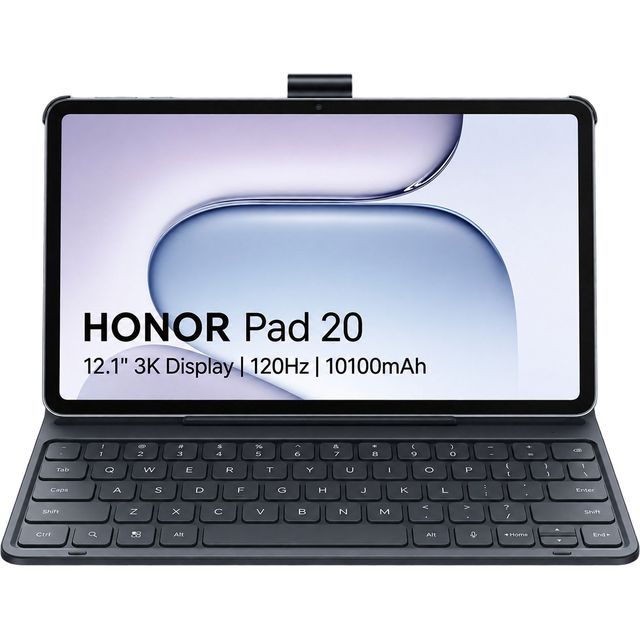

Honor Pad 20 12.1" 256GB WiFi Tablet - Grey
£449- 12.1-inch 3K display — Sharp detail and vibrant colours for work and play
- Snapdragon 7 Gen 3 processor — Smooth performance for apps and multitasking
- 256GB storage — Plenty of space for photos, files and downloads
- Bluetooth keyboard included — Comfortable typing straight out of the box
- 120Hz refresh rate — Silky-smooth scrolling and navigation
-
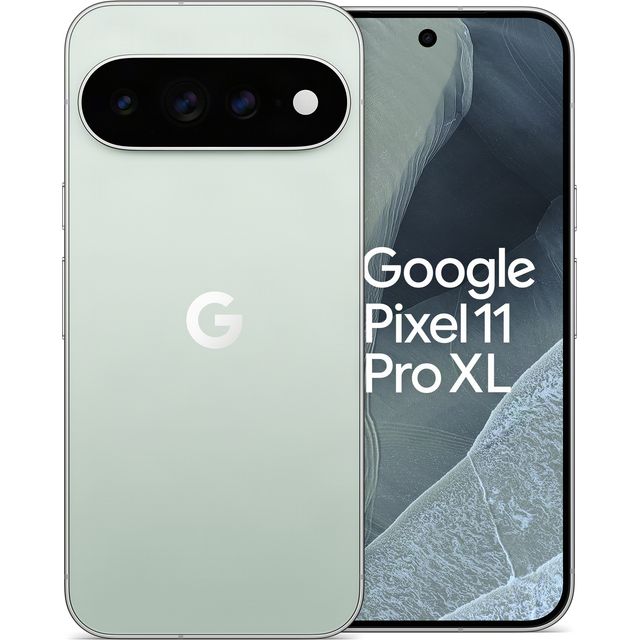

Google Pixel 11 Pro XL 256GB in Fog
£1,279- 120x Pro Zoom — Bring distant details up close
- Google Tensor G6 chip — Fast, smooth everyday use
- 12GB RAM — Keeps plenty of apps ready to switch
- 5115mAh battery — Enough charge for a long day out
- HiLight alerts — Glows when a favourite is calling
-

Honor 600 256GB in Orange
£399- Dual SIM — Keep work and personal numbers apart
- 12MP ultra-wide camera — Fits the whole group in
- AI Photo Agent — Edit a photo by simply asking
- AI Super Zoom 2.0 — Clear shots of distant scenes
- MagicOS 10 on Android 16 — A fresh, tidy interface
-


Motorola Razr 70 256GB in Sporting Green
£799- 3.63-inch cover display — Reply while it’s shut
- 50MP camera — Clearer group shots
- 4800mAh battery — Over 36 hours between charges
- 30W TurboPower charging — A quick top-up before work
- 15W wireless charging — Just rest it on the pad


