Our site uses cookies to give you the best experience. or continue shopping if you're happy.
Accept & close
The Ultimate Gaming Setup
Creating a great gaming setup is more than making it look cool. It’s about comfort, performance and atmosphere while you play - unlocking a better, more immersive gaming experience.

 Level Select
In this interface, moving between sections works just like progressing through a game world. Each zone becomes a new level to explore, every button a power‑up that moves you forward, and the whole system acts as your navigation hub guiding players toward their next objective.
The right mix of tech - from consoles or PCs and monitors, to chairs, lighting and accessories - can help games look sharper, feel smoother and are easier on your eyes and posture. It also helps keep rooms tidier and quieter, no matter if the setup’s in a bedroom, study or shared family space.
Whether you’re a parent looking for gaming room ideas that work for the whole household, a gamer wanting the best possible setup, or a gift-buyer browsing for someone special, this guide will walk you through everything you need to build a setup that works for real life.
At AO, gaming is a big part of who we are. We love helping people level up their space with reliable tech, clear advice and a wide range of gaming gear - all backed by fast, friendly service.
“With 61% of people in the UK* having dedicated space for gaming at home, it’s clear that we’re shaping our homes around how we play. So creating a space that’s personal to you, has the right tech, is safe, and works for the whole household is key.” Nick Bunce – AO Gaming Expert
The UK’s most searched gaming setup tech in 2025
Every year, certain bits of gaming kit become the “go‑to” choices for players and families. We’ve looked at the UK’s most‑searched items of 2025 to help you see what’s trending and why it matters.
It’s an easy way to spot:
- What everyone else is buying
- What upgrades make the biggest difference
- Where to start if you're building a setup from scratch
From here, you can jump straight into the gaming gear that fits your space, style and budget.
What makes a great gaming setup? Start with the 4 Zones
Building the ultimate gaming setup can feel like a lot, but splitting it into four simple zones makes everything easier:
Each zone affects the gaming experience in a different way. Looking at them one at a time can help you decide what matters most and where to focus your budget.
ZONE 1: The Console, PC, Games and Storage
The heart of every great gaming setup is the console or PC choice - it sets the tone for the whole setup.
Games console or gaming PC?
The choice between a console and a gaming PC usually comes down to how simple you want things to be, how much you want to upgrade over time, and what else the device will be used for.
Why choose a games console?
Consoles like the PS5, Xbox Series X/S, and Nintendo Switch keep things simple:
- Quick and easy setup, with no configuration or technical know-how needed.
- Consistent performance - every game is optimised for that system.
- More budget-friendly upfront, especially for families.
- Strong parental controls and age-rated game libraries.
Perfect for gamers who want to plug in and start playing.
Why choose a gaming PC?
A gaming PC is all about power, customisation, and long-term flexibility.
- Higher performance potential, especially for competitive or graphics-heavy games.
- Upgradeable parts mean the system’s performance can grow over time.
- A huge game library, including PC-exclusive titles and indie favourites.
- Great for older teens who study, game and create content on the same device.
Which is the right fit for your home?

Consoles are best if you want simplicity, quick and easy setup, guaranteed compatibility, as well as great value.
If you’re after top-tier performance, long-term flexibility, or a multipurpose machine, a gaming PC could be the right choice.
How to choose the right gaming console
Each type of console brings different benefits, no matter if you’re a parent buying the device or a gamer using it.
|
Console |
Best for |
Parent will like |
Gamers will like |
| PlayStation 5 (PS5) | All round household gaming and story-driven and action-heavy games. |
|
|
| Xbox Series X/S | Value focused homes and wide-range of games including backwards compatibility. |
|
|
| Nintendo Switch | Great for shared spaces, younger players as well as for on-the-go entertainment. |
|
|
What’s the hottest gaming console this year?
Our recent survey highlighted that 41% of Brits think that a gaming console is the ultimate big gift*. But which one to choose?
We have a clear front-runner: The PS5 - topping the list with 22% of Brits wanting its next-gen performance and exclusive titles*.
Looking for the most in-demand tech for your gaming setup? Browse the most searched-for gaming gear trends.
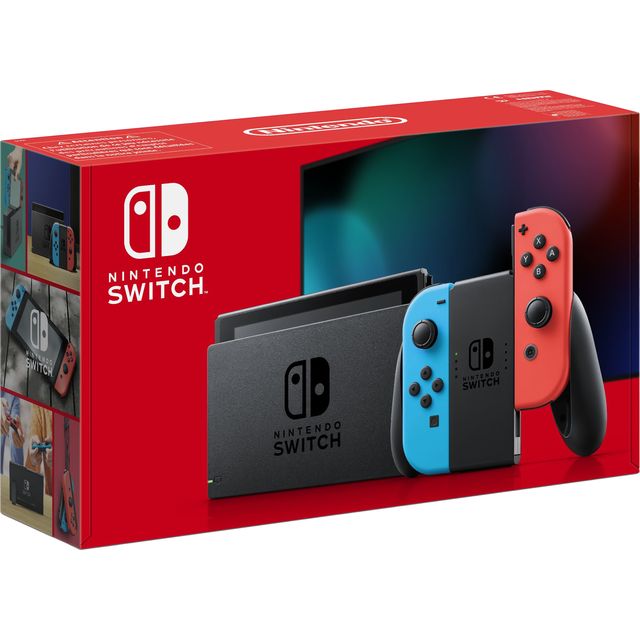
Nintendo Switch 32GB - Neon Red/Blue
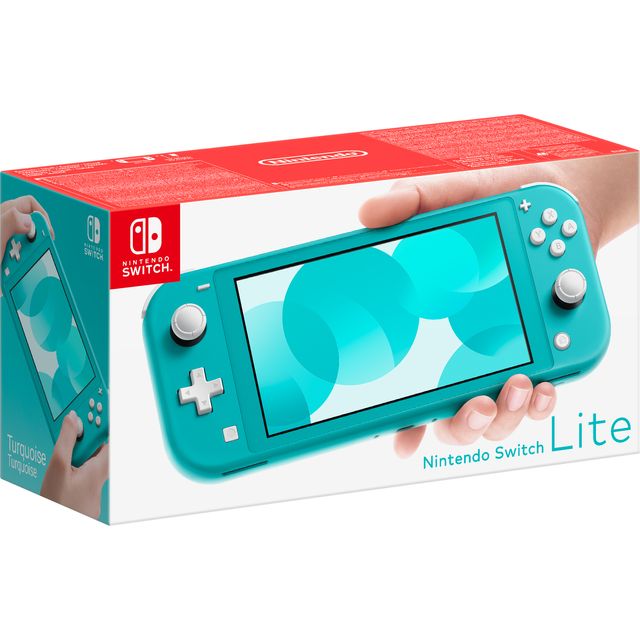
Nintendo Switch Lite 32GB - Turquoise

Nintendo Switch 2 256GB - Black

Xbox Series S 1TB - White

Nintendo Switch 2 256GB with Donkey Kong + Camera - Black

Nintendo Switch 2 256GB with Pro Controller - Black

Xbox Series S 512GB - White

Nintendo Switch 2 256GB with The Legend of Zelda: Tears of the Kingdom - Black

Nintendo Switch 2 256GB with Pokémon Pokopia - Black

Nintendo Switch 2 256GB with Nintendo Joy-Con2 L/R, Nintendo Switch2 Carry Case, Screen Protector, Samsung microSD Express Card - Neon Red/Blue
Choosing a gaming PC
If you’re thinking a gaming PC might be the right choice, here’s some key considerations you need to think about before buying:

Graphics Card (GPU):
The most important part for gaming performance - choose based on whether you want smooth Full HD, 1440p, or 4K gameplay.

Processor (CPU):
Helps with overall speed and multitasking; great for teens who game and study on the same machine.

RAM:
Aim for at least 16GB of RAM to keep modern games running smoothly while you browse, chat and multitask. If you're planning to stream, create content or tackle demanding games, 32GB is a great shout for extra headroom. When it comes to storage, a 1TB NVMe SSD gives you plenty of space for your favourite games and fast load times, while 2TB or more is worth considering if you've got a growing game library.

Storage:
SSDs make everything load faster; consider a mix of SSD + HDD for big game libraries.

Cooling:
Good airflow or liquid cooling keeps the PC quiet and protects components.

Upgradability:
Look for cases with space (and motherboards) that support future upgrades.

Prebuilt vs Custom PCs:
Prebuilts offer great value and are easy to set up; custom builds offer more control for enthusiasts but can come at an extra cost.
If you’re unsure, take a look at our gaming PC buying guide to find out more.

3XS Core Gaming Bundle Gaming PC - NVIDIA® GeForce RTX™ 5060, AMD Ryzen™ 5, 500GB SSD, 16 GB RAM - Black

3XS Core Gaming PC - NVIDIA® GeForce RTX™ 5060, AMD Ryzen™ 5, 500GB SSD, 16 GB RAM - White

CyberPowerPC AO22234 Gaming PC - NVIDIA® GeForce RTX™ 5060, AMD Ryzen™ 5, 1TB SSD, 16 GB RAM - Black

3XS Core Gaming PC - AMD Radeon™ RX 9070 XT, AMD Ryzen™ 7, 1TB SSD, 32 GB RAM - Black

CyberPowerPC AO22227 Gaming PC - NVIDIA® GeForce RTX™ 5080, Intel® Core™ i7, 1TB SSD, 32 GB RAM - White

Acer Nitro N20-101 Gaming PC - Intel® Core™ 5, 512GB SSD, 16 GB RAM - Black

CyberPowerPC AO22220 Gaming PC - NVIDIA® GeForce RTX™ 3050, AMD Ryzen™ 5, 500GB SSD, 8 GB RAM - Black

ASUS ROG G700 Gaming PC - NVIDIA® GeForce RTX™ 5060 Ti, AMD Ryzen™ 7, 1TB SSD, 16 GB RAM - Black

CyberPowerPC AO22236 Gaming PC - NVIDIA® GeForce RTX™ 5060, Intel® Core™ i5, 1TB SSD, 16 GB RAM - Black

CyberPowerPC AO22218 Gaming PC - NVIDIA® GeForce RTX™ 3050, AMD Ryzen™ 5, 500GB SSD, 8 GB RAM - Black
External Storage & SSDs
Modern games are big, but external drives and SSDs give you that extra space without deleting your favourite games.
What they are:
External hard drives or SSDs plug into the console to expand its storage space. SSDs are faster and great for next-gen titles.
Why they matter:
More space means fewer arguments about what games to delete.
Buying games is now more flexible than ever and it can make a big difference to how much storage you need - learn more about discs vs downloading games to understand why extra storage could be so important.
Before buying - always check compatibility with your console or device.
ZONE 2: The Display (monitors & visual experience)
Your screen has a huge impact on how games look and feel - making everything more immersive. A good display makes action clearer, reduces eye strain and helps players stay comfortable.
You might want to consider these gaming room ideas and key elements:
Finding the right size gaming display
Monitors between 27–32 inches usually hit the sweet spot for desk setups, offering plenty of screen space without taking over the room.
Refresh Rates: 120Hz vs 240Hz

120Hz:
Offers a smooth gameplay performance that pairs perfectly with PS5 and Xbox Series X/S.
240Hz:
Built for fast reactions and smooth gameplay, the 240Hz refresh rate is perfect for competitive gamers. For the best experience, pair your monitor with a graphics card that suits its resolution. 1080p at 240Hz is a great choice for esports titles, while more powerful hardware can make the most of 1440p at higher refresh rates. Prefer gaming in 4K? Prioritise picture detail and pick a refresh rate your PC can comfortably maintain.
Curved and Ultrawide options
Curved and ultrawide monitors wrap the screen around your field of view, boosting immersion and helping you see more of the game world at once. They’re a frequent top choice for gamers!
Bias Lighting
Soft LED strips placed behind the monitor can reduce eye strain and make game colours really pop (and feel more ‘premium’). Plus, they look great in any themed setup.
Top tip
Want stunning 4K gaming?
If you're gaming on a PS5, PS5 Pro or Xbox Series X, an HDMI 2.1 gaming monitor can unlock smooth 4K gameplay at up to 120fps. For fast-paced games, look for a 120Hz or 144Hz refresh rate for smoother, more responsive action.
PC gamers may find 1440p offers the perfect balance of sharp visuals and high frame rates. And if picture quality is your priority, OLED and QD-OLED monitors deliver deeper blacks, richer colours and impressive contrast that help games look their best.
Whatever setup you have, matching your monitor's resolution and refresh rate to your console or PC will help you get the best performance.
Is a 4K OLED gaming monitor worth it?
If you want the best possible picture quality, a 4K OLED gaming monitor is a great choice. OLED screens offer true blacks, vibrant colours and impressive HDR, making games feel more immersive. They're ideal for PS5 Pro and high-performance gaming PCs, but standard PS5 and Xbox Series X consoles can benefit too.
OLED monitors tend to cost more, so they're best suited to gamers who want premium visuals and are happy to spend a little extra.
ZONE 3: The Comfort Zone (ergonomics and desk setup)
“More families are turning gaming into a shared evening - 38% say gaming nights have become the new movie night* - so the right setup can make a huge difference.”
Nick Bunce - AO Gaming expert
Comfort is a huge part of a good gaming setup. The right ergonomics help you play longer - helping you stay relaxed, focused and fully into the game without feeling it later.
Top ergonomic gaming room ideas include opting for:
Gaming/racing chairs
Designed for long gaming sessions, a gaming chair can help keep you comfortable while you play. Look for features like adjustable armrests, seat height and recline, along with built-in lumbar support to help maintain a good posture. To get the best setup, make sure your feet rest flat on the floor and your lower back feels supported. While gaming chairs are a popular choice, a comfortable, adjustable office chair can work just as well.
Adjustable desks
A height-adjustable desk lets you switch between sitting and standing with ease, helping you create a setup that works for you. For the best experience, choose a model with plenty of room for your monitor and peripherals, along with cable-routing features that keep everything tidy and organised.

Large desk mats
They keep any peripherals and accessories stable while protecting the desk surface.

Monitor height
Position the screen at eye level for healthier posture.

Cable management trays
They keep everything tidy and reduce trip hazards.

Fans or air purifiers
They keep the space cool and allow air to circulate well, which is great for both gamers and gaming tech.
Gaming setups in small spaces or rooms
If you have a small room or space for gaming, that doesn’t mean you need to compromise on a great setup and ways to keep things organised. You might want to consider:
- Wall-mounted shelves for consoles, controllers and games
- Foldable desks that can pack away when not being used
- Under-desk storage to utilise every inch of space available
These touches keep everything organised without crowding the room or impacting game play.
ZONE 4: The Vibe (aesthetics, lighting and style)
The vibe is where your setup becomes personal. Lighting, décor and accessories help make the space feel inviting - and ready to dive into your favourite worlds. Some of the elements you might want to consider include:
Themed gaming setups
Whatever your game type preferences and personality, you can theme your space just the way you like. Posters, pegboards, collectibles, screensavers; the world is your oyster. Whether you’re into sci-fi, retro classics, anime or prefer a minimalist look, theming your gaming room can be a lot of fun.
Matching gaming gear
Coordinating keyboards, mouse, headsets and mouse mats creates a polished, unified look, especially in RGB colour schemes.
Have you ever thought of…
Lighting options
- LED strips are a popular lighting choice for gaming setups because they use very little power and can be easily installed in any space.
- RGB options are a type of LED lighting that can change colour - allowing you to experience a more custom vibe with every game you play.
- One-colour LEDs in a warm white or another soft colour can create a cosier and more relaxed feel in your gaming space.
Acoustic panels
These panels can be fitted to walls and are helpful in reducing echo, as well as providing a level of noise isolation. They can make a gaming room setup look and feel more premium, as well as being really useful for streamers or in shared spaces.
Some popular gaming setup styles include:
- Minimal: Clean, simple, clutter-free.
- RGB Battlestation: Neon colours, glowing strips, and bold lighting.
- Cosy Pastel: Soft colours, warm lights, and aesthetic accessories.
- Streamer-Ready: Camera mounts, key lights, mic arms, acoustic panels.
- Dark Mode: Black tones, deep hues, and subtle lighting.
- Small Room: Smart storage, wall mounts, compact desks.
- Family-Shared: Versatile layouts with easy-to-access storage and durable furniture.
The Parent Guide: A gaming setup that’s smart, quiet and reliable
Choosing a gaming setup and accessories for your children and teens doesn’t need to be complicated - with the right choices, you can create a setup that’s safe, tidy and built to last.
Here are some key things to consider:
Safety first
A great gaming setup should be safe for your children, teens and the home environment.
- Look for consoles, PCs and accessories with proper ventilation to prevent overheating.
- Make sure desks and chairs are sturdy, with no wobble.
- Choose accessories from trusted brands that meet UK safety standards (check out the reviews too!).
- Use console and game parental controls to help your children stay safe while gaming and manage screen time. Internet Matters has a great guide to help with this.
Quiet devices
Modern consoles and PCs are designed to run quietly. Placing them in open, well‑ventilated spots keeps noise down.
- The PS5, Xbox Series X, and many AO prebuilt gaming PCs use efficient cooling to reduce fan noise.
- Choosing quieter systems helps keep shared living spaces calmer, even during intense gaming sessions.
Cable safety and tidiness
If a gaming setup is in a bedroom or a shared area, things can become messy fast, so it can be a good idea to consider:
- Using cable trays, ties and sleeves to help keep everything neat and reduce trip hazards.
- A tidy setup also improves airflow around devices, keeping them safer and working better for longer.
Games discs vs digital: What’s best for families?
Both formats work well with all kinds of games and there isn’t usually a significant difference in the cost of games via either medium, but each has its benefits:
- Disc versions:
- Easier to manage, so you can physically put games away or lend them to friends.
- Don’t use as much storage on the device.
- Helpful for controlling screen time by limiting which games are accessible.
- Digital games:
- No discs to lose and there is instant access to the game library.
- Do require more storage, so external drives may be needed (it’s always best to check compatibility before buying).
Ease of Setup
Parents don’t need a complicated gaming setup process, even if you’re buying a device from scratch or adding new tech and accessories. The good news is that:
- Consoles are generally plug-and-play, making them perfect for quick and easy installation.
Gaming PCs and gaming laptops from AO are prebuilt, meaning they’re ready to go straight out of the box.
How much will a good gaming setup cost?
Getting a great setup doesn’t have to mean overspending. Our survey found that people spend an average of £424 on their gaming space - and that’s before you factor in a console. With most consoles costing between £300 and £700, it’s easy to see how a full setup can creep past the £1,000 mark.
But the big budget takeaway?
If you’re planning a setup for yourself or your child, the map below gives you a clear picture of what people in your area are actually spending. It’s a simple way to sense-check your own budget and see what’s typical, without the guesswork.
Parent FAQs for gaming setups
- How much gaming time is healthy for teens?
There’s no single rule, but most experts recommend balanced screen time that fits around homework, sleep, meals, and physical activity.
Gaming in moderation isn’t unhealthy as long as there is a balance with other activities. It can be a good idea to aim for regular breaks every hour and make sure late-night sessions don’t impact sleep.
Parental controls on consoles can also help reinforce break times and rules whilst keeping them safe online.
- Do I need parental controls and how do I set them up?
Parental controls are a simple way to manage screen time, any in-game spending, and online interactions. PS5, Xbox, Nintendo Switch and Windows PCs all include built-in tools that let you:
- Set daily play-time limits
- Restrict age-rated content
- Manage friend requests and chat
- Prevent accidental purchases
Each system has an easy step-by-step setup, usually found in the Family or Parental Controls menu.
- Which console is best for younger vs older teens?
- Younger teens: Nintendo Switch is a great option thanks to its family-friendly games, portability and simple controls.
- Mid to older teens: PS5 and Xbox Series X/S offer high performance, more mature titles and better graphics - as well as playing online with friends.
Both are fantastic options, so it often comes down to which exclusive games and consoles they prefer.
- How do I keep the gaming room setup safe and well-ventilated?
Place consoles or PCs on a stable surface, away from soft furnishings, heaters, or enclosed shelves. Leave a few centimetres of space around the vents for airflow.
Regularly dust the area and keep cables tidy to avoid strain on the power sockets.
- What internet speed is needed for online gaming?
Most online games run smoothly on around 25–50 Mbps, but faster speeds help when multiple people are streaming or gaming at the same time. Newer consoles support strong Wi-Fi 6 performance and a wired connection is usually the most reliable option.
- Should I get a gaming chair or is a standard office chair okay?
Office chairs work, but gaming chairs are designed for longer sessions with features like adjustable armrests, lumbar support and reclining options.
For children and young people who game often, the added support can help encourage a healthier posture.
- How do I stop gaming console storage from filling up so quickly?
Modern games are large in size, so it’s common for storage to run out at some point. You can:
- Expand storage with an external hard drive or SSD
- Uninstall games that aren’t currently being played
- Choose disc versions where possible to reduce digital storage use
External SSDs are the simplest long-term fix.
- What accessories are actually worth buying?
There are lots of gaming accessories available and it can be tricky trying to figure out what is really needed and what’s more of a nice-to-have for a bit later. If you want to focus on the essentials, consider:
- A good headset for clear communication
- An extra controller for in-person multiplayer
- A charging dock to avoid cable clutter
- A surge protector for safe power management
Optional upgrades, like RGB lighting or premium keyboards, can always be added later as treats.
The Gamer Zone – Level up your space
Ready to turn your gaming corner into a full-on battle station?
This is where you take your setup from “pretty good” to “seriously impressive.” A clean, organised, personalised space doesn’t just look better, it helps you play better, focus harder and get fully immersed in every game.
Immersive lighting
Lighting changes everything in a gaming room setup.
Add RGB strips behind your desk or monitor for that soft glow that makes games feel deeper and more cinematic. You can even sync it with your games for reactive lighting or create your own colour theme to match your personal vibe. It’s one of the cheapest upgrades available with the biggest “wow” factor.
Wireless gaming setup accessories for a clean look
A wireless keyboard, mouse, controllers and headsets help keep your desk clutter-free and flexible.
No cables tugging, no snags mid-match, just clean lines and full freedom to move. Modern wireless tech also cuts latency to near zero, so you’re not losing performance.
Competitive gaming mouse
A good gaming mouse can make all the difference when every second counts. Look for a lightweight design that feels comfortable in your hand, with responsive buttons and accurate tracking for smooth, precise movements. Whether you prefer wired or wireless, a reliable, low-latency connection helps keep you in control when the action heats up.
Competitive gaming headset
A quality gaming headset helps you stay one step ahead by making it easier to pick up important in-game sounds like footsteps, vehicles and voice chat. Choose a model with a clear microphone for team communication, soft ear cushions for comfort and a secure fit that stays comfortable through long gaming sessions. Prefer a clutter-free setup? Modern wireless headsets offer impressive performance without the cables.
High-performance gaming keyboard
When you're gaming competitively, you need a keyboard that can keep up. Responsive switches and reliable key registration help ensure every command is recognised, even during intense matches. Features like anti-ghosting can give you extra peace of mind, while a comfortable layout and your choice of wired or low-latency wireless connectivity help keep you focused on the game, not your gear.
Performance tips
Squeeze every drop of power from your setup with these gamer-approved tweaks:
- Turn on Game Mode on your monitor or TV for lower input lag.
- Use 120Hz or 144Hz settings for smoother, more responsive gameplay.
- Keep your console or PC well-ventilated. A cooler system runs faster.
- Update your drivers and firmware regularly to maintain peak performance.
What’s your perfect gaming setup style?
Not sure what your gaming setup vibe really is? Take our quick quiz to discover your style - from cosy corners to full RGB glow ups.
It only takes a minute and it’s scarily accurate… share your result with us when you’re done!
Everything you need is here “What’s your setup style?” quiz
Downloads
Ready to see how complete your setup really is? Use these bingo-style checklists to tick off everything you’ve already got and spot what you might want to add next. They’re fun, quick and perfect to share with friends or family - full house bragging rights fully encouraged.
Ready to play?
Find everything you need to build the ultimate gaming setup – built for play, focus and family life.
References
* AO’s UK Gaming Study 2025 - copies available on request.
